IT Consultancy
IT Consultancy Get expert guidance to leverage technology for your business growth. We help you identify the right IT solutions, optimize infrastructure, and ensure your digital environment is secure,…
make IT easy


IT Consultancy Get expert guidance to leverage technology for your business growth. We help you identify the right IT solutions, optimize infrastructure, and ensure your digital environment is secure,…
Digital Marketing Grow your brand and reach the right audience with data-driven marketing strategies. We help you create campaigns that convert, manage social channels effectively, and optimize your d…
Privacy Policy At CometSoul, accessible from https://cometsoul.com, one of our main priorities is the privacy of our visitors. This Privacy Policy document contains types of information that is collec…
Welcome to CometSoul! These terms and conditions outline the rules and regulations for the use of CometSoul’s Website, located at https://cometsoul.com. By accessing this website we assume you a…
If you require any more information or have any questions about our site’s disclaimer, please feel free to contact us. Disclaimers for CometSoul All the information on this website – https…

Managed Wi-Fi Service Build a fast, stable, and secure Wi-Fi for your business at Zero depreciation cost. Enterprise-Grade Guest Wi-Fi With $0 Upfront Hardware Costs. We provide, install, and support …

Smart Business System Integrator Simplify your daily operations with smart systems that automate bookings, schedules, and routine tasks so you can focus on growing your business. We set up and integra…
IT Procurement & Hardware Managed Service Keep your technology running smoothly from the hardware you use every day to the systems that power your business. We provide end-to-end IT management so …
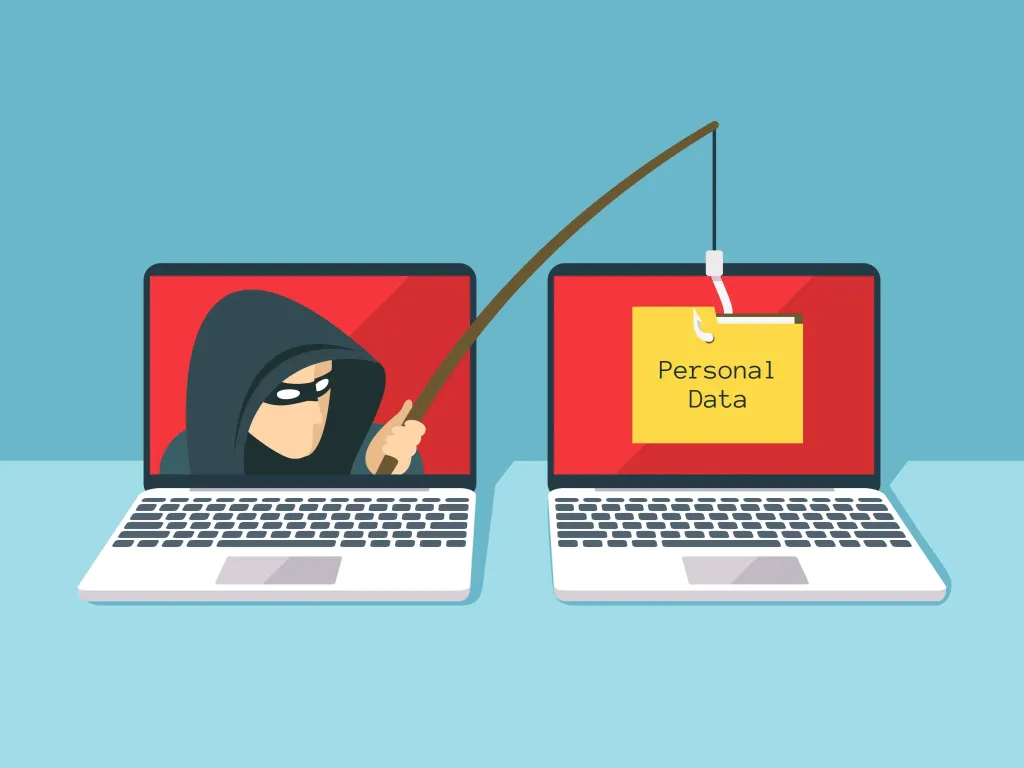
Phishing attacks remain one of the most common cybersecurity threats today. Even though security technologies continue to improve, millions of people still fall victim to fake emails, fraudulent messages, and malicious websites every year.
As a result, cybercriminals can steal passwords, access sensitive information, and even gain control of financial accounts. Therefore, learning how to avoid phishing attacks is an essential skill for anyone who uses the internet.
Phishing is a type of cyberattack designed to trick people into revealing sensitive information. In most cases, attackers pretend to be a trusted organization, such as a bank, online marketplace, technology company, or even a coworker.
The information commonly targeted includes:
Today, phishing attacks can be delivered through multiple channels. For example, attackers may use email, text messages, social media platforms, messaging applications, or phone calls.
Many people believe that phishing only affects individuals with limited technical knowledge. However, the reality is quite different.
Cybercriminals often exploit human emotions rather than technical vulnerabilities. They create a sense of urgency, fear, or curiosity to encourage victims to act without thinking carefully.
For example, you may receive messages such as:
“Your account will be suspended within 24 hours.”
“Verify your account immediately to avoid service interruption.”
“Suspicious activity has been detected. Click here to confirm your identity.”
Because the message appears urgent, some users click the link before verifying its authenticity.
First, pay attention to the tone of the message. If it pressures you to act immediately, you should be cautious.
In many cases, attackers intentionally create a sense of panic so that victims do not take time to verify the request.
In addition, phishing websites often use domain names that closely resemble legitimate websites.
Examples include:
At first glance, these addresses may appear genuine. However, small differences can indicate a fraudulent website.
Legitimate organizations generally do not ask customers to provide passwords, PINs, or authentication codes through email or text messages.
For this reason, never share:
If someone requests this information, verify their identity before taking any action.
Although modern phishing campaigns have become more sophisticated, many still contain warning signs.
For example, you may notice:
Therefore, always examine messages carefully before trusting them.
Do not rely solely on the display name. Instead, check the actual email address.
For example:
Display name:
IT Support Team
Actual email address:
support@security-update-example.xyz
If the domain looks suspicious, avoid clicking links or downloading attachments.
Next, make it a habit to inspect links before opening them.
Hover your mouse over the link and review the destination URL. If the address differs from the official website, do not proceed.
Even better, manually type the website address into your browser instead of using the provided link.
MFA adds an extra layer of security to your accounts.
As a result, attackers cannot access your account with a stolen password alone.
Today, most major online services offer MFA at no additional cost.
Many phishing victims experience multiple account compromises because they reuse the same password across different services.
To reduce this risk:
If you receive an unusual request from a manager, coworker, vendor, or financial institution, verify it through another communication channel.
For example, call the person directly or contact them through an approved business communication platform.
This simple step can prevent many phishing scams.
If you accidentally enter your credentials on a phishing website, do not panic.
Instead, take the following actions immediately:
The faster you respond, the lower the risk of serious damage.
While no security measure is perfect, adopting good cybersecurity habits can significantly reduce your risk.
Some recommended best practices include:
Furthermore, regular cybersecurity education helps users recognize new phishing techniques as they emerge.
Phishing attacks continue to be one of the most effective methods used by cybercriminals. However, understanding how phishing works can help you avoid becoming a victim.
In addition, always verify the sender, inspect links carefully, and enable multi-factor authentication on important accounts. By following these simple security practices, you can better protect your personal information and online accounts.
Remember, cybersecurity is not just about technology. Most importantly, it is about staying alert and recognizing threats before they have a chance to cause harm.